Connect to Concept2 Logbook
Follow these four steps to link your Chase The Split dashboard with your Concept2 account and automatically import your rowing workouts.
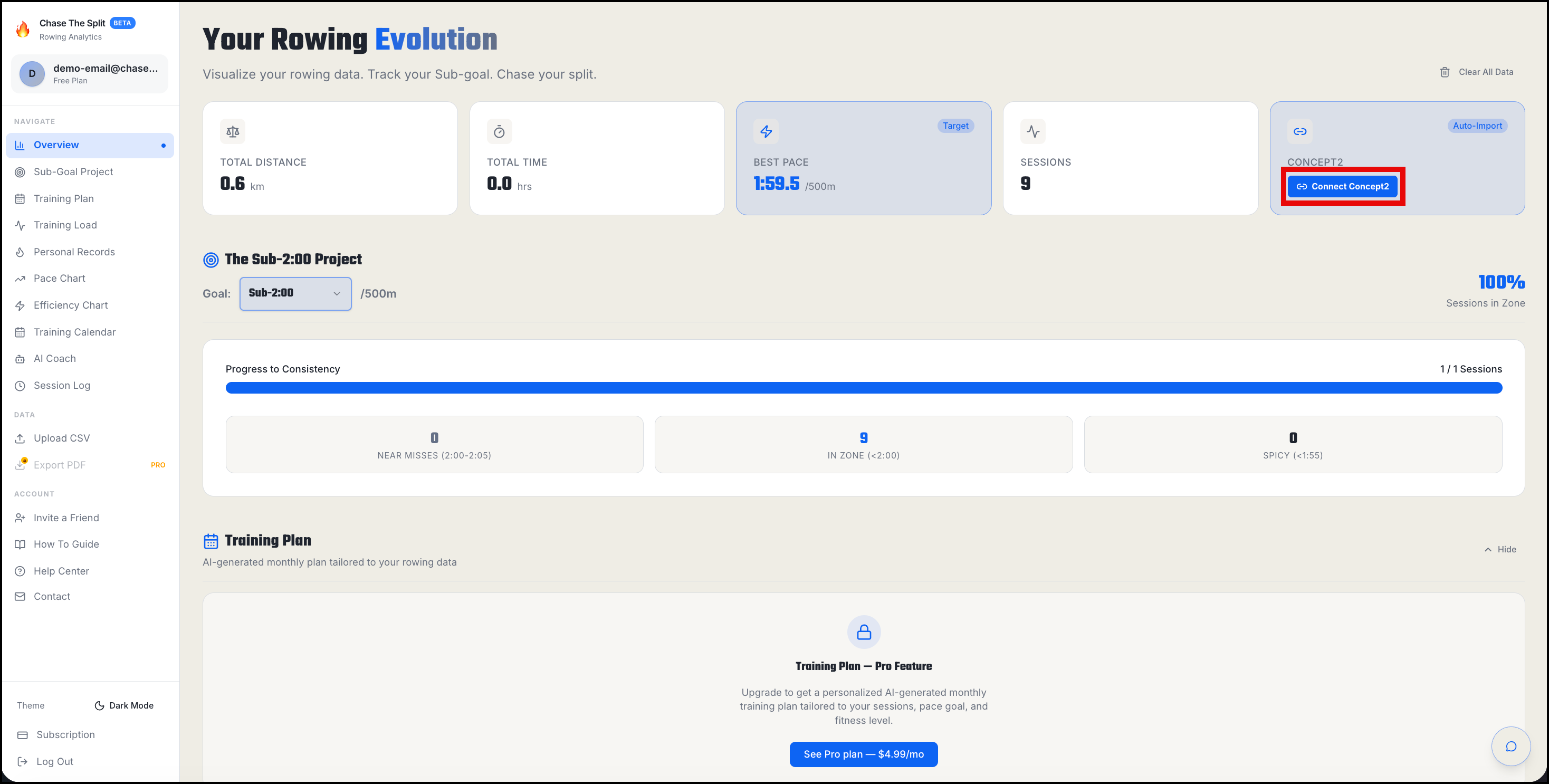
Step 1 — Start the connection between Concept2 and Chase The Split from your dashboard
On your Chase The Split dashboard, click the blue Connect Concept2 button in the blue Concept2 card.
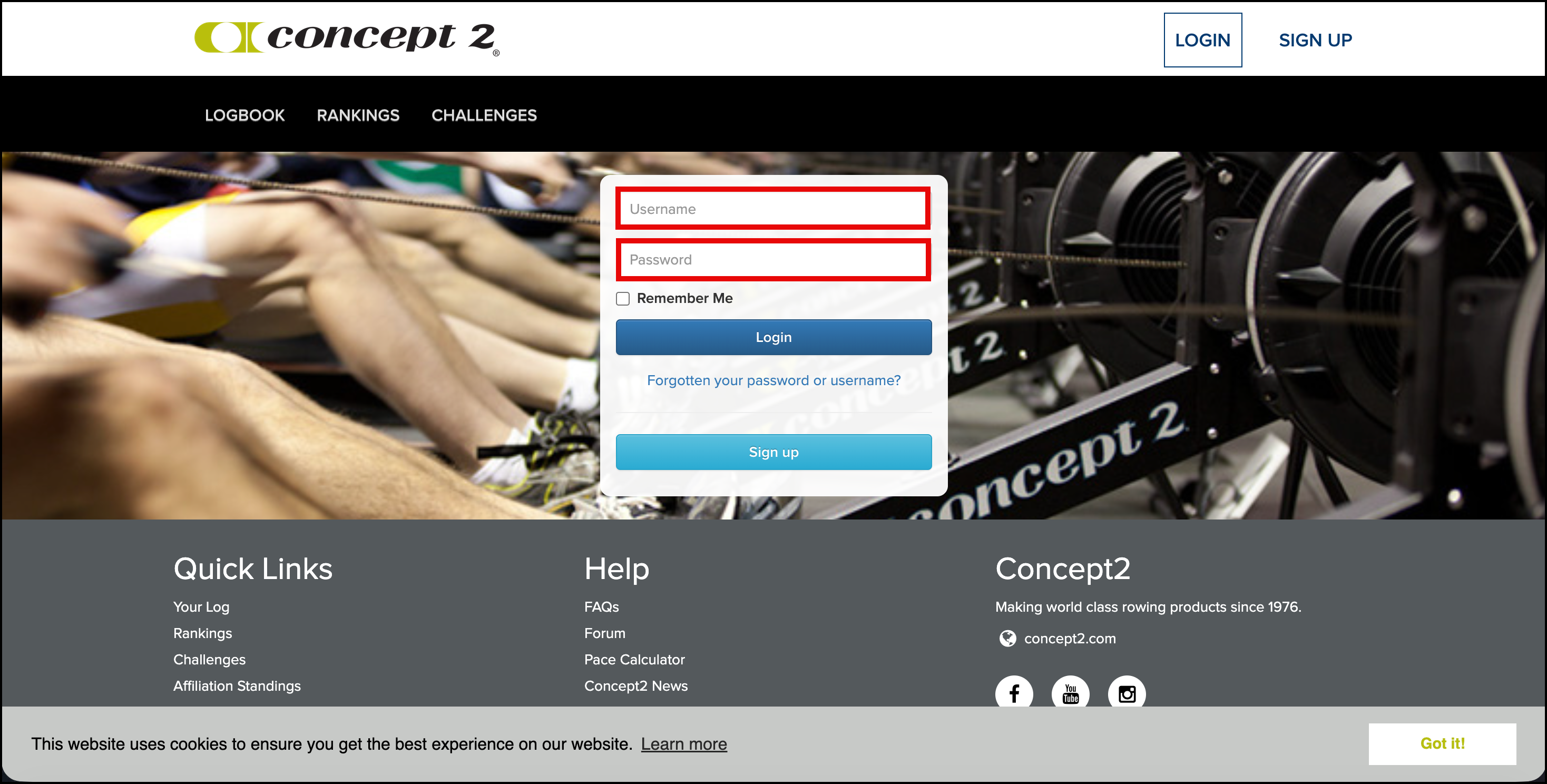
Step 2 — Log in to your Concept2 account
Enter your Concept2 username and password on the Concept2 website and then click the Login button.
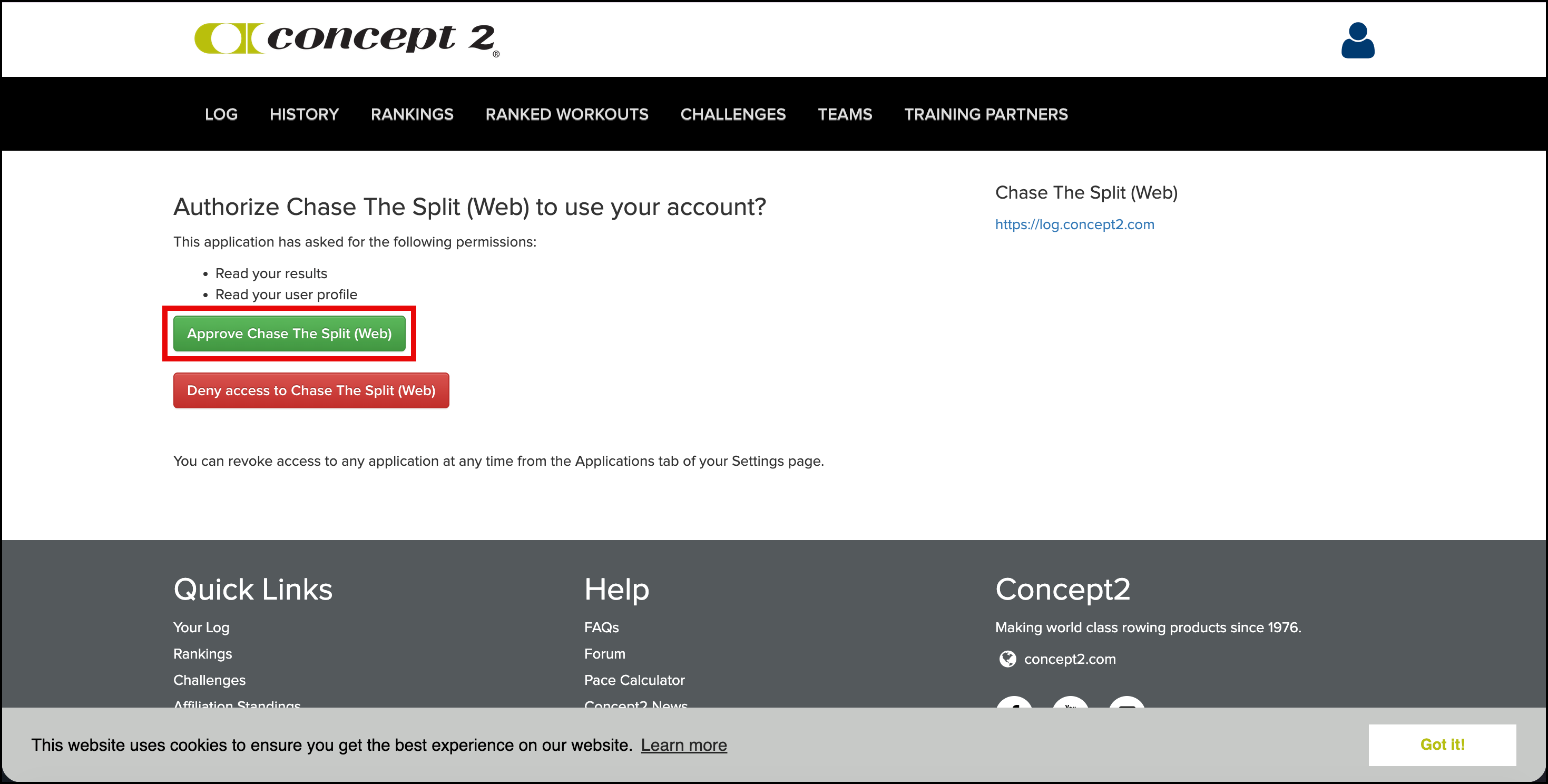
Step 3 — Authorize Chase The Split to connect to Concept2
Click the green Approve Chase The Split (Web) button.
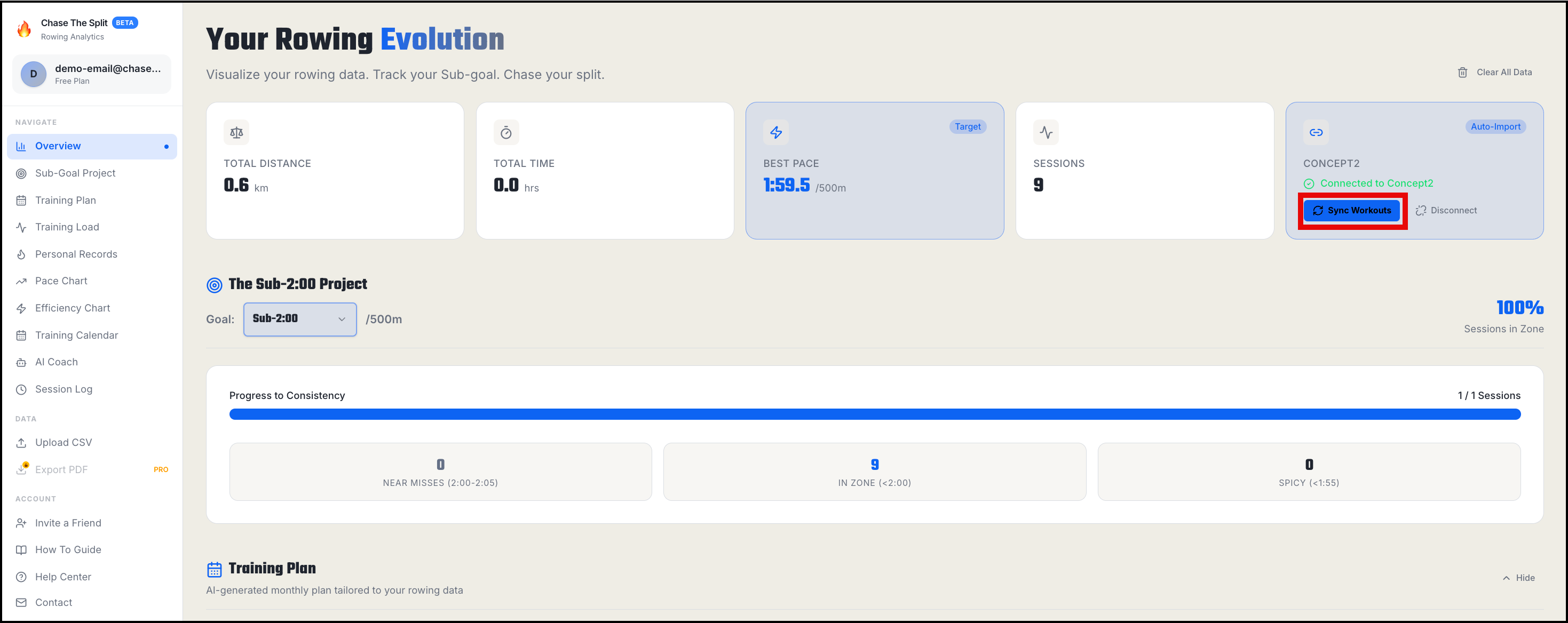
Step 4 — Sync your Concept2 workouts to Chase The Split
The Concept2 card now displays "Connected to Concept2" in the blue Concept2 card. Click the Sync Workouts button to pull in your rowing data.